
Tools needed: 8mm socket (to remove the top case) and a P2 Phillips-head screwdriver/bit, wire cutters or scissors Optional tools: Drill/driver, needle nose pliers Materials: Small zipties to secure wire once replaced Optional materials: Foam gasket tape (in case foam shell gets damaged)
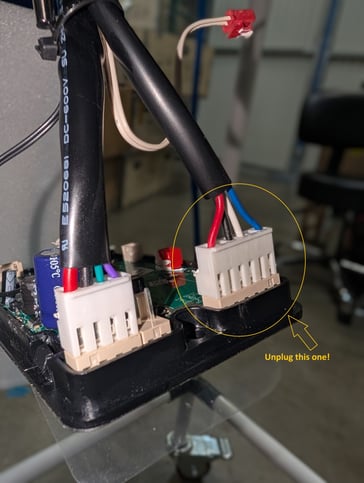
- Disconnect the power. Go to the display panel inside, remove the intake screen and push down from above to remove the display panel. Disconnect this wire to the fan by squeezing the small level (not pictured) and pulling up on the connector, needle nose pliers maybe used very gently here. Cut any zipties you can access from below using your wire cutters or scissors
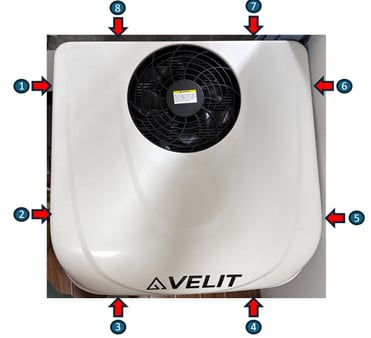
- Using your 8mm socket, remove the 8 bolts to remove the top case from your air conditioning unit. Inside you'll see a foam shell which will need to be removed. For the 2000 Mini there are 5 phillips screws with washers around the shell. Sometimes removing the shell can be difficult, start at one side, work it up a little, then work the other side up, etc until it's free. Once free, you'll have to gently slide the shell along the power wires to get it out of your way.
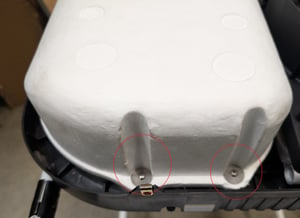
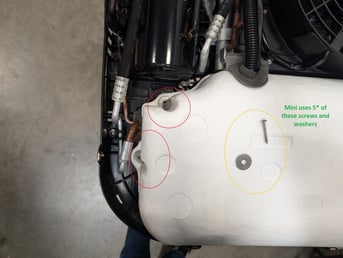
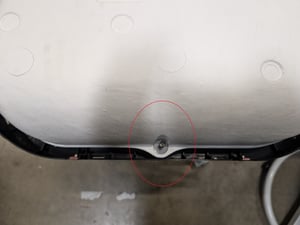
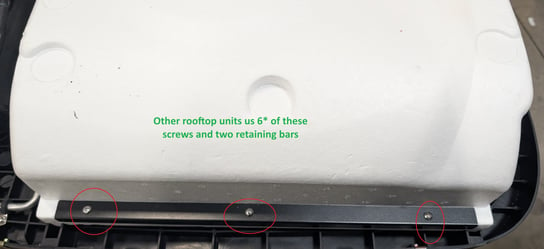
- If you have a full sized conditioner (2000r and 3000r) you wil see a foam shell like the one below once you life off the top case. Remove the 6 phillips-head screws and two retaining bars to be able to remove this shell. Again, start with one side, then the other, wiggling back and forth until it comes free. Lift the shell up and out of your way.
- After removing the foam shell, any model will be looking at the fan as shown below. This fan has 6 phillips screws holding it to the drain pan. Remove the lowest screws on the fan, as the others just release pieces of the fan. Follow the power wire, gently pulling up and removing any zip ties along the way.
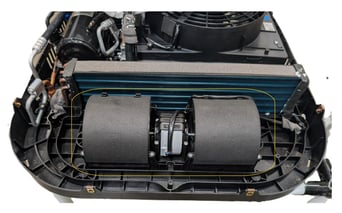
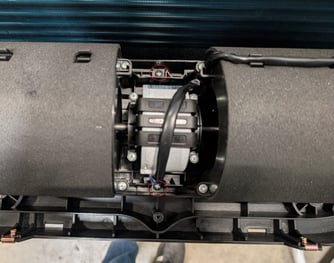
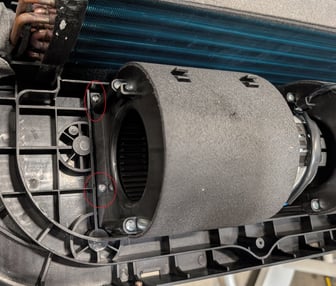
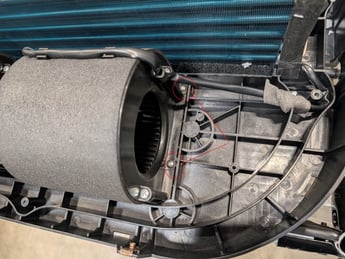
- Place the new fan, screw it down, route the wire, connect it to the display panel, and then test the fan before putting everything back. Follow the steps in reverse and test the system once again after everything is finished.
Refer to this video for extra help! Reach out to Support for any additional questions as necessary!